// TOM'S HARDWARE US — HARDWARE & GADGET
Asus ROG Swift PG27UCWM gaming monitor review: Speed and pixel density in a premium package
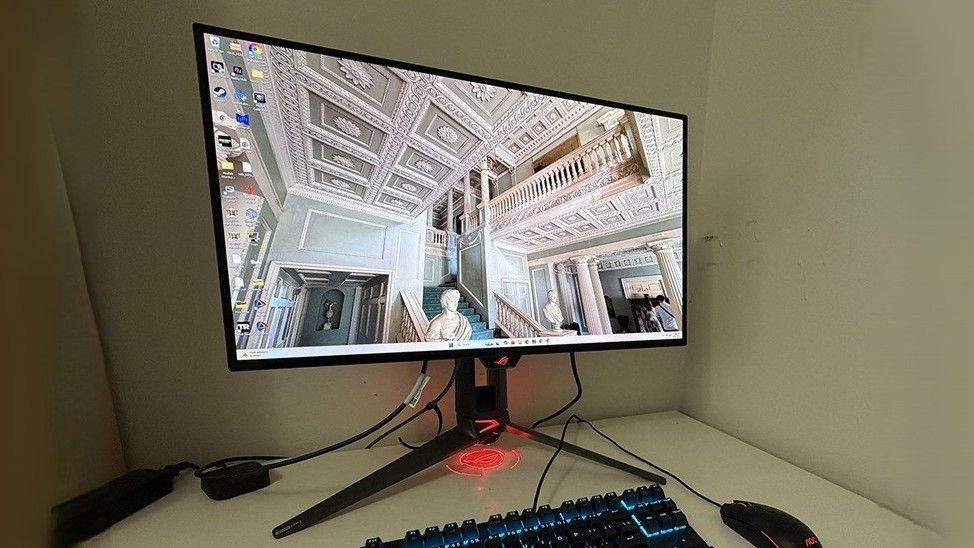
The Asus ROG Swift PG27UCWM isn’t quite perfect, but it is one of the best 27-inch 4K OLEDs you can buy. It packs stunning imagery and premium gaming performance into a high-end package.
Excellent brightness for SDR and HDR with a variable option
Color accurate out of the box with high gamut volume
Superb gaming performance with low input lag and quick panel response
Flexibility from ELMB and Frame Rate Boost features
Why you can trust Tom's Hardware
Our expert reviewers spend hours testing and comparing products and services so you can choose the best for you. Find out more about how we test.
Asus has introduced some of the best OLED gaming monitors in recent years, and with each generation, it makes incremental improvements in performance, features, and technology. Its latest panel type is Tandem RGB Stripe, bringing higher brightness, a wide color gamut, sharper imagery, and lower power consumption.
The latest ROG Swift display to hit my test bench is the PG27UCWM. It’s a 27-inch 4K panel with 240 Hz (480 Hz in FHD), HDR10, Dolby Vision, DisplayHDR 400, and Adaptive-Sync. Let’s take a look.
I’ve reviewed a few Tandem RGB Stripe OLEDs of late, most recently, Asus’ 32-inch version of this screen, the PG32UCWM. There’s no denying the extra sharpness that this tech brings. Though I never saw much color fringing around text as discussed online, these new panels are clearly sharper than single-layer OLEDs. By sandwiching two layers and making the pixels’ physical shape narrower, you get more clarity, more color, and more brightness at a given wattage. And by driving the panel less aggressively, its lifespan is extended.
The PG27UCWM’s color volume is greater than that of single-layer OLEDs but not quite as large as that of Quantum Dot displays. I measured just over 102% coverage on my sample, whereas you’ll get closer to 110% with a QD monitor. Asus includes factory calibration with each monitor, and you can find that stored in firmware and accessed through the comprehensive OSD.