// 9TO5MAC — MOBILE & WEB
iPhone Duo has hidden trick that solves a common complaint
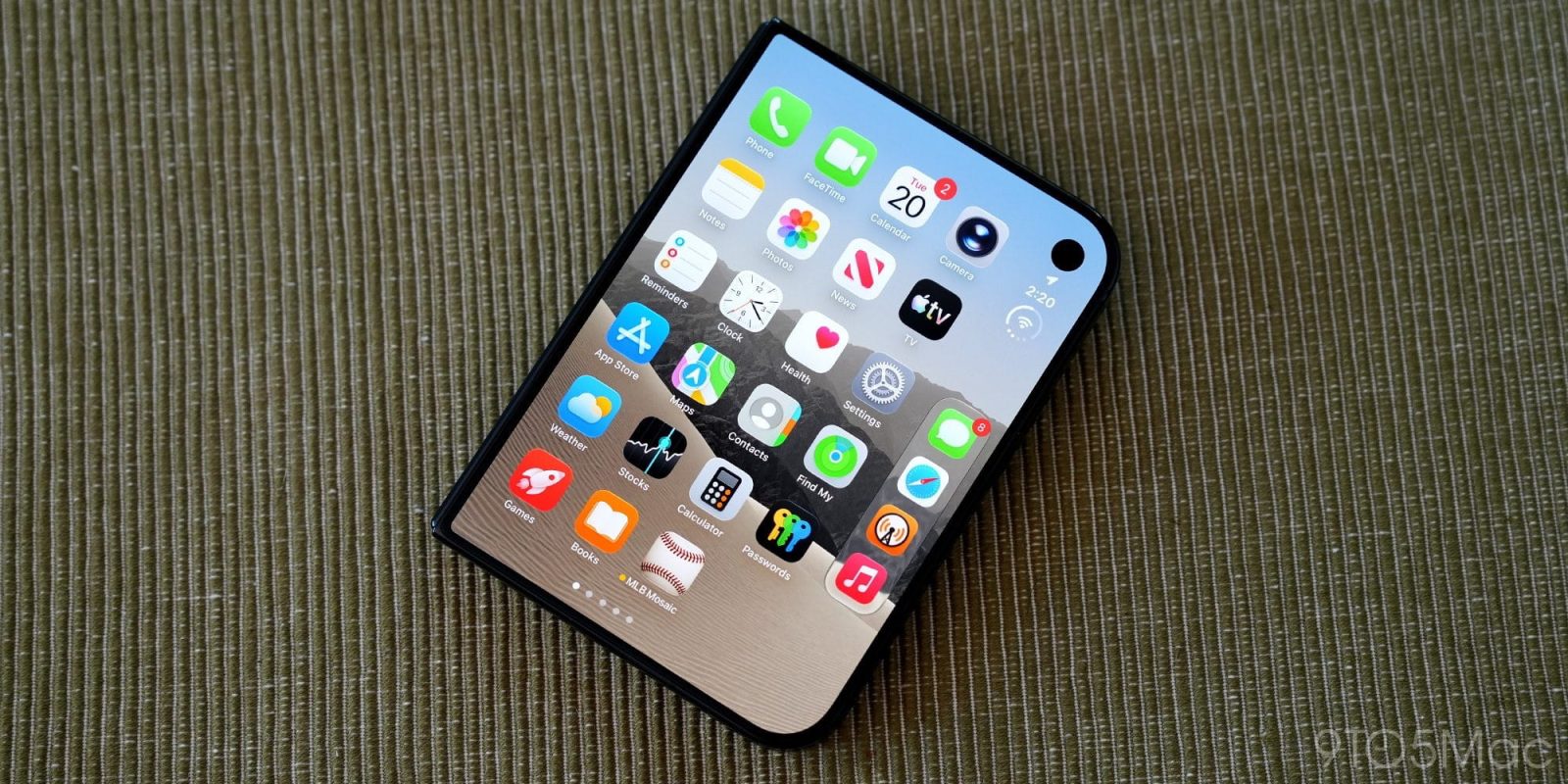
iPhone Duo is officially out in the wild, and users keep discovering new details about the device. The latest: there’s a hidden trick that makes opening Control Center significantly easier.
When iPhone Duo reviews dropped earlier this week, one common complaint I saw is that in left-handed use, opening Control Center can be a pain.
Like on other iPhones, you open Control Center by swiping down from the top-right corner.
If you’re using iPhone Duo two-handed, that’s not a problem. Or if it’s in your right hand, it might be slightly awkward but still ultimately fine.
In left-handed use though, even when folded, the device’s extra-wide design makes Control Center more of a challenge to open.
Except it turns out, Apple added a hidden trick that solves that.
As Stephen Robles shows in a video on X, you can instead just tap the new Battery/Wi-Fi/Cellular icon to open Control Center.
Getting to Control Center on iPhone Duo is *the best* pic.twitter.com/jvd1mw64dR
This shortcut is much more reachable than a top-right corner swipe. And as Robles demonstrates, when you have a Live Activity running the button moves even further down the screen to become even more reachable.
It’s one of the many unique design implementations iPhone Duo introduces.