// ENGADGET — MOBILE & WEB
Lenovo Googlebook 15 review: Your Android phone's new best friend
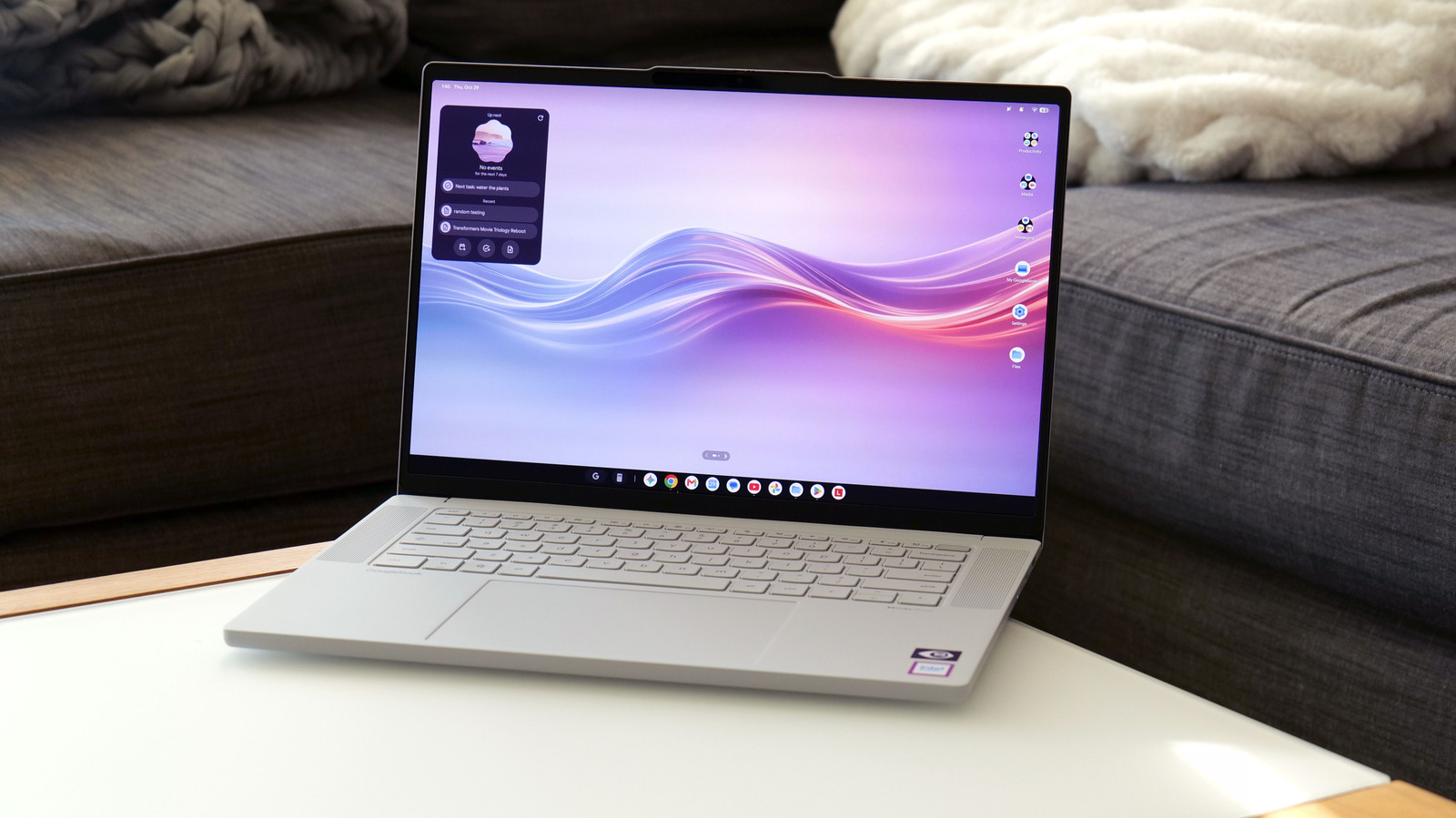
Lenovo’s hardware is great, but Googlebook OS still needs some polishing.
The launch of a new operating system presents a lot of challenges, but also the opportunity to install significant upgrades to the status quo. With its new family of notebooks, Google is trying to combine the best features of Android and Chrome OS on a line of PCs that are smarter, easier to use and more mobile-friendly than anything that's come before. However, while Lenovo has done an excellent job of providing premium hardware for the Googlebook 15, Google's latest laptop platform suffers from a number of growing pains you often get from first-gen software.
For die-hard Android fans, some of these issues might be worth overlooking for the increased synergy you'll get between your phone and laptop. But for other users, it's probably worth waiting for a more mature version of Googlebook OS before making the switch.
The design and hardware on this Googlebook is so good I'm actually a little bit annoyed that Lenovo hasn't made a Windows equivalent. It features a 15.3-inch OLED display with 120Hz refresh rate, a typical brightness of 500 nits and HDR True Black 1000 certification. It's bright, it's colorful and delivers pretty much everything you could ask for on a laptop in this price range.
That said, I'd argue the rest of the Googlebook 15's design is even better. Lenovo's chassis is made from a mix of plastic and carbon fiber, with bits of magnesium-aluminum alloy used in certain areas, like its lid, for increased strength and lightness. Then Lenovo covered the entire system in a "silk-touch" finish that makes the whole laptop feel like a piece of unglazed porcelain. It's surprisingly luxurious and comes with the added benefit of reducing the appearance of fingerprints. And despite having a larger screen, the Lenovo Googlebook 15 actually weighs less than a 14-inch MacBook Pro (2.85 pounds vs. 3 pounds).
Elsewhere, Lenovo's Googlebook has punchy up-firing quad speakers with Dolby Atmos flanking the keyboard, a decent selection of ports (2x USB-C, 1 USB-A, HDMI and 3.5mm audio) and a massive haptic touchpad. The keyboard has just enough bounce to make typing quite pleasant, while tweaks like the Google key make performing OS-related shortcuts just a bit easier. There's even a built-in camera with a physical shutter (plus a separate fingerprint sensor) that supports facial recognition, so signing in is friction-free.
The final distinguishing characteristic of all Googlebooks is the lightbar on their lids, which changes color depending on a handful of factors. In normal use, the LEDs are white, but when charging, the light reflects how much charge the laptop has (red means under 20 percent, yellow means 20 to 59 percent, etc.). Alternatively, during startup or when talking to Gemini, you'll get special animations across an assortment of colors. The one issue is that when compared to the Pixel 11 Pro's HiLight indicator, you generally don't interact with a Googlebook when its lid is closed. This makes the Gemini LEDs more useful to someone sitting opposite the laptop than whoever is actually using it.
One of the nice things about the Googlebook platform is that Google stipulates that all participating systems come with at least 16GB of RAM, so you won't have to worry about running out of memory while doing basic productivity tasks like you do on some budget machines. And when combined with an Intel Core Ultra 5 325 chip and 256GB of base storage, the result is a totally proficient system for handling all of your core computing needs.
The bigger issue for the Googlebook 15 is that because you're encouraged to install the same kind of mobile apps you'd use on a phone, you'll often have more performance than you can really use. It's either that or you'll be faced with apps that haven't been properly optimized to take advantage of the hardware. A good example of this is Photoshop, because the version you download from Google's Play Store is the mobile