// ITS FOSS — LINUX & OPEN SOURCE
I Tried The Weird New Mini Window Feature in Firefox 160
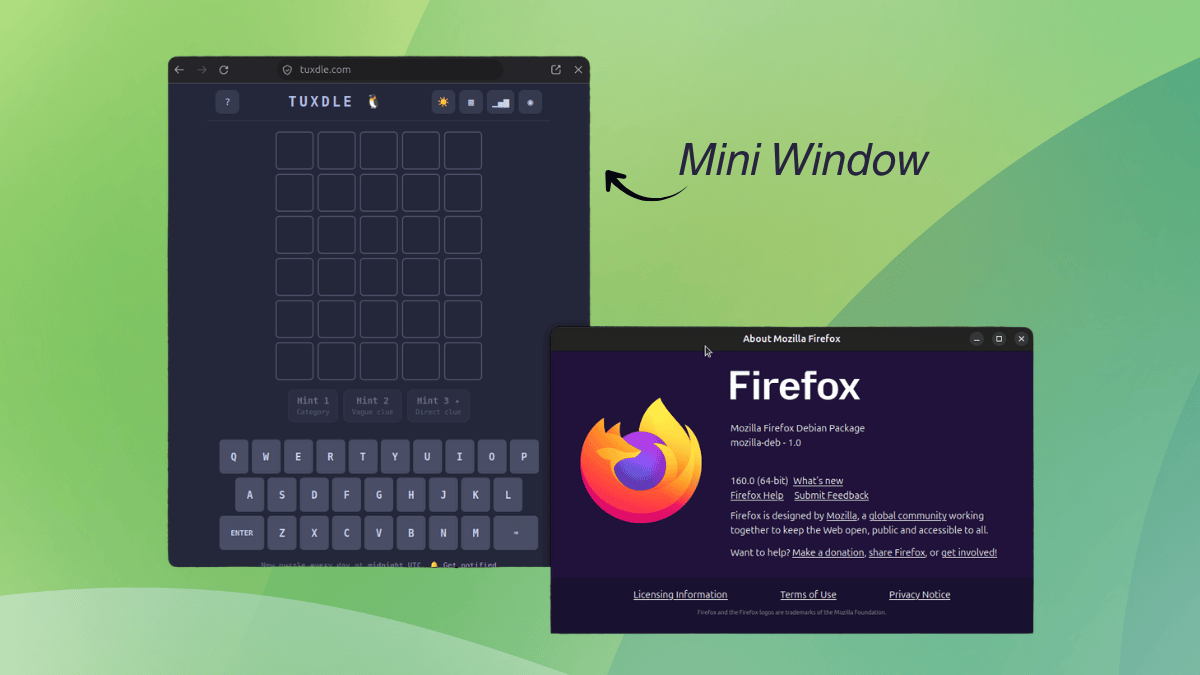
Mozilla has been experimenting a lot with Firefox lately, and a good chunk of that effort has gone into AI. The sidebar can house a chatbot of your choice, and Smart Window has an assistant that lets you pick the AI model.
Luckily, they have stopped tunnel-visioning into AI, and the UX side of the browser has seen some big upgrades.
Containers keep work, shopping, and personal browsing separate; Split View shows two pages side by side in one window; and Vertical Tabs move your tab list into the sidebar.
I believe that these upgrades have made Firefox a much more compelling option when compared to other popular web browsers.
Of course they are not stopping there. Mini Window is the latest addition to that list, which builds on the work done in Picture-in-Picture, the floating video player.
Using Mini Window on Linux with Firefox 160 feels like a beta from the start. It needs a regular browser window with a tab open to work because a standalone mini window is not possible yet.
It comes in two modes. Move full tab sends the whole page into a small window that floats above your other windows, and Move selection lets you draw a box around the part of a page you want and sends only that.
Either way, the moved tab is not available in the main window until you send it back.
A full tab mini window looks like a tiny browser window. The top bar has the page address along with reload, back, forward, send back, and close buttons. Pages adapt to the smaller size as well.
During testing, websites like ours, Wikipedia, and Associated Press were successfully switching to their compact layout.